Last reviewed: September 24, 2026 (UTC)
Quick answer: which energy rebate finder should you use?
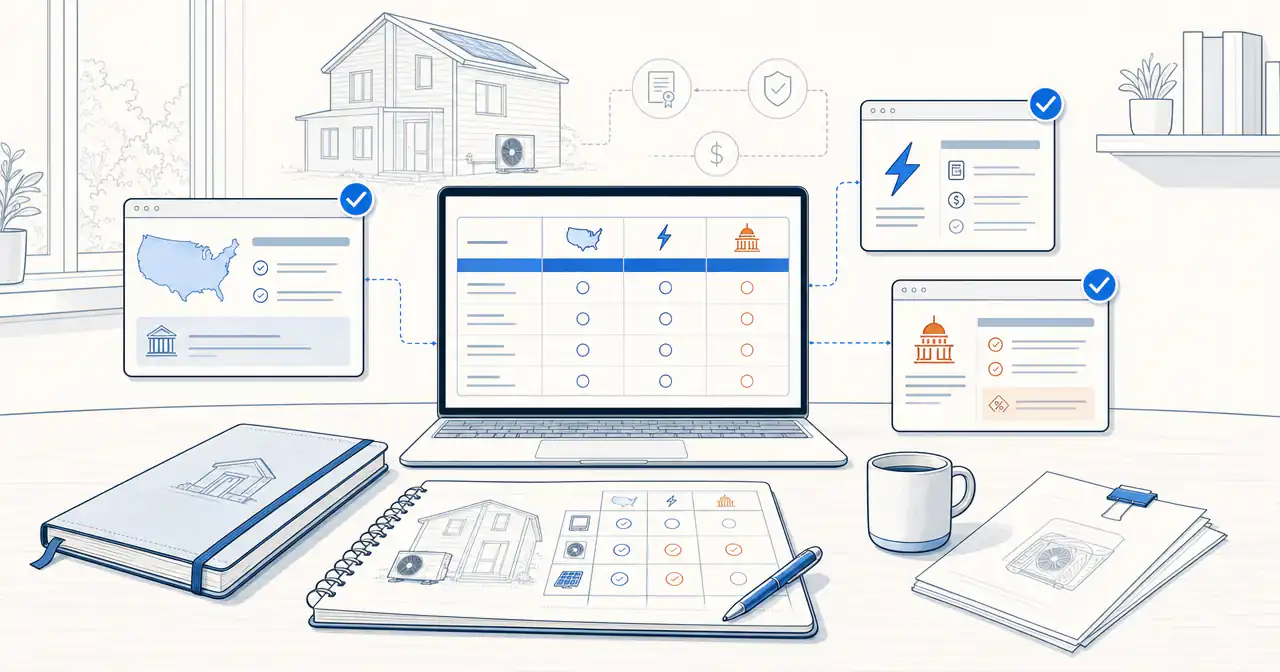
There is no single national finder that confirms every rebate, product rule, utility territory, deadline, and application step. Use the source that matches the question in front of you:
- For a project-oriented starting point: Begin with our incentives library, which organizes homeowner incentive pages by jurisdiction and project type and points you toward the administrator details to confirm.
- For broad discovery: Use DSIRE to search federal, state, territory, local, and larger utility incentives and policies.
- For a product offer by ZIP code: Use the ENERGY STAR Rebate Finder when the equipment or appliance is ENERGY STAR certified.
- For a whole-home electrification estimate: Use Rewiring America's savings calculator and its planning tools to screen state, local, and utility programs.
- For federal program status: Start with the DOE Home Energy Rebates program, then follow the handoff to your state, territory, or Tribal energy office.
- For the final local answer: Use your utility or state energy-office portal. That is where current funding, contractor rules, pre-approval, deadlines, and application steps are set.
The most reliable workflow combines these sources. We use Watt Wallet to organize the project path, then use the official program page as the final authority.
What DSIRE does well, and where it stops
DSIRE stands for the Database of State Incentives for Renewables & Efficiency. It is operated by the N.C. Clean Energy Technology Center at N.C. State University and has been available since 1995. Its value is breadth: a homeowner can start with a five-digit ZIP code or state, then filter programs by incentive type, technology, implementing sector, and eligible sector. The DSIRE FAQ describes the database as a collection of program and policy summaries rather than an approval system.
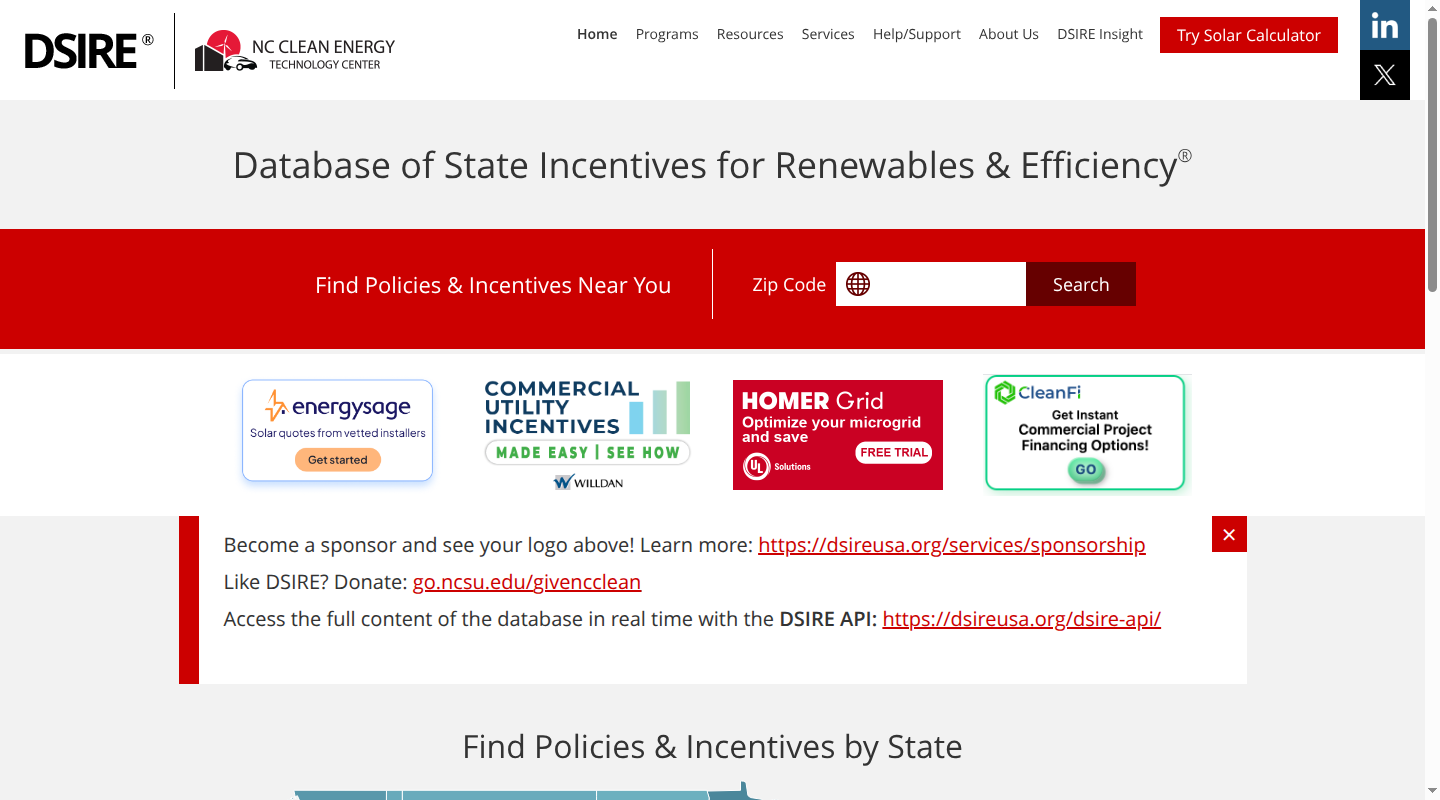
DSIRE is useful when you want a map of the possibilities. It does not cover every small municipal or cooperative utility. DSIRE says its utility coverage is generally limited to utilities with more than 30,000 customers, and that its local-government coverage is limited to about 250 incentives and policies. Its analysts typically review each incentive at least annually, so the database is a strong discovery layer with a built-in freshness limit. It also directs alternative-transportation searches to the U.S. Department of Energy's AFDC U-Finder, a specialist source for EV and charger utility information.
Treat a DSIRE result as a lead. Open the administrator's page behind the listing before using the amount, equipment, or deadline in a project budget.
DSIRE alternatives compared
The first row is our recommendation for homeowners who want a project path around the source lookup. The official tools and administrator pages remain the places that set eligibility and payment rules.
| Tool | Best for | Inputs | What it covers | What it does not confirm |
|---|---|---|---|---|
| Watt Wallet incentives library | Turning a likely incentive into a homeowner project plan | Jurisdiction and project type | Project-specific incentive pages, eligibility questions, source links, and planning context | It does not approve an application or replace the named program administrator. Open the detail page and then the current official source. |
| DSIRE | Broad U.S. program and policy discovery | Five-digit ZIP code or state, plus technology and program filters | Federal, state, territory, selected local-government, and larger utility rebates, tax incentives, loans, grants, and rules | Small-utility coverage, every local offer, live funding, exact model eligibility, and final approval. Use the administrator link next. |
| ENERGY STAR Rebate Finder | Product-specific offers | Five-digit ZIP code and product category | Rebates and special offers near you for ENERGY STAR certified products | Full project economics, tax-credit eligibility, exact model approval, contractor rules, and live funding. Open the offer page behind the result. |
| Rewiring America calculator and Personal Electrification Planner | Whole-home electrification screening | ZIP or address, household details, utility and project choices | Estimated state, local, and utility savings across electrification projects, plus a way to organize a plan | An award, a guaranteed amount, or a perfect boundary match. Confirm the utility and program rules with the administrator. |
| DOE Home Energy Rebates and state or Tribal energy offices | Federal framework and rollout status | State, territory, or Tribe, then project and household details | HOMES and HEEHR program structure, technology categories, and links to local status information | A complete national ZIP-code result or a promise that funding is open in your location. Follow the local administrator handoff. |
| Your utility or state energy-office portal | Pre-contract and application decisions | Service address or utility account, project scope, equipment, income, and customer details | Current availability, funding, eligible models, contractor requirements, reservations, deadlines, and forms | Programs outside its service area. Compare the result with the program administrator named in the application terms. |
Why the official ENERGY STAR finder is useful
The ENERGY STAR Rebate Finder is one of the fastest ways to look for a product-related offer near a ZIP code. ENERGY STAR describes it as a search for rebates and special offers on ENERGY STAR certified products. That makes it a good fit for a heat pump water heater, smart thermostat, appliance, window, or other product with a clear certification path.
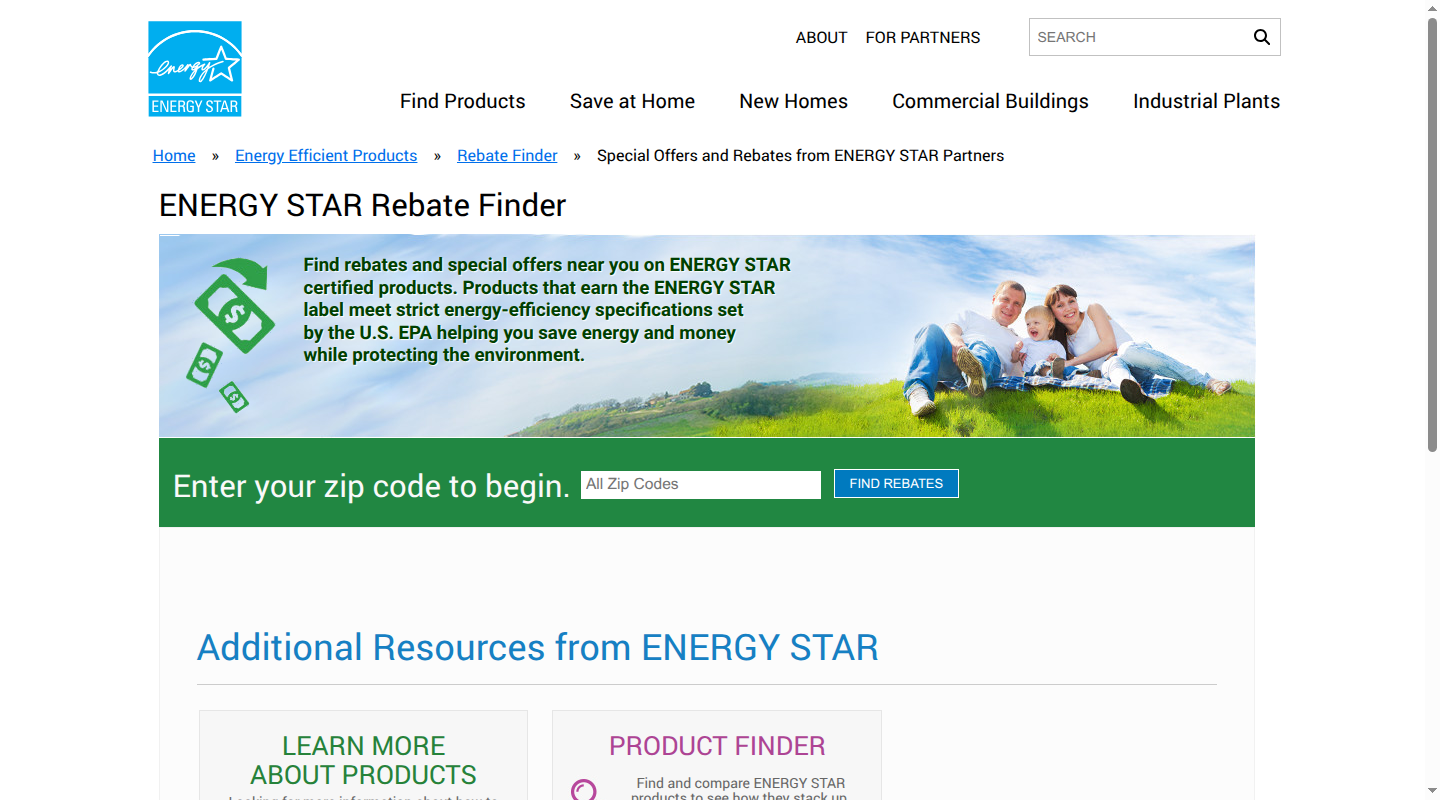
The finder is not the party issuing the rebate. The offer can come from a utility, retailer, state program, or another ENERGY STAR partner. A result also does not settle whether the exact model qualifies, whether the offer has funding, whether a participating installer is required, or whether an application must be submitted before installation. Use the result to find the offer page, then keep the model number and program terms with the quote.
If a ZIP code returns little or nothing, widen the search. A missing ENERGY STAR result does not prove that the utility, state, or local program has no incentive.
The verification stack that works
Think of a rebate finder as one layer in a short stack:
- Discovery: DSIRE reveals program names, technologies, and likely administrators.
- Product matching: ENERGY STAR narrows product-related offers by ZIP code and certified category.
- Project planning: Watt Wallet and Rewiring America put the possible programs beside the equipment, household, and project decisions.
- Authority: DOE, the state or Tribal energy office, the utility, or the named administrator controls the live terms.
The last layer decides whether the saving belongs in your budget. A directory, calculator, or guide can help you find a program. It cannot create funding, waive an income limit, or make an unapproved model eligible.
Choose the right source by project stage
| Project stage | Start with | Keep with your project notes |
|---|---|---|
| Early discovery | Watt Wallet and DSIRE | Program name, technology, administrator, source URL, and the date you found it |
| Product-specific lookup | ENERGY STAR and the manufacturer's exact model information | Model number, certification, offer category, and any stated expiration date |
| Whole-home planning | Rewiring America's calculator or planner, plus DOE's Home Upgrades guidance | Household inputs, project scope, estimated savings, and which measures each program funds |
| Before signing a quote | Utility, state, territory, Tribal, or program-administrator page | Live status, funding, eligible equipment, contractor path, pre-approval or reservation, and deadline |
| Application and final documentation | The administrator's application instructions and our quote-comparison guide | Approval, reservation, invoice, proof of payment, model number, installation date, and submission record |
For a heat pump, our heat pump rebates by state guide is a useful bridge from a statewide search to the utility or program administrator. For income-qualified federal home rebates, our HEEHRA rebates guide explains the terms that often decide whether a headline amount applies. The live state path still controls.
How to use an energy rebate finder without overestimating savings
1. Start with the location that controls the bill
Enter a ZIP code when the tool asks for one, then identify the electric and gas utility serving the property. ZIP codes are routing hints. Utility territories, city limits, county lines, and ZIP boundaries do not always match, as Rewiring America's geography notes explain. The service address and account are stronger evidence than a ZIP-only result.
2. Name the project before you count the money
“Home energy upgrade” is too broad for a final estimate. Separate a heat pump, heat pump water heater, insulation package, electrical work, appliance, solar system, battery, or EV charger. Then match the exact equipment or project scope to the program's eligible measure. Many offers depend on efficiency tier, model list, installation method, or whether the equipment replaces an existing system.
3. Keep rebates, discounts, tax credits, and financing in separate lines
A point-of-sale rebate changes the invoice. A post-installation rebate arrives after an approved claim. A contractor discount is a contract term. A tax credit follows a tax-year filing path. Financing changes the timing and cost of payment. Combining all four into one “after incentives” number makes a quote look more certain than it is.
Do not copy an old 30% or $3,200 federal credit into a 2026 quote. The IRS Energy Efficient Home Improvement Credit page says the credit applies to qualifying improvements placed in service through December 31, 2025. Use the current IRS guidance for the tax year and property involved.
4. Read the live program page behind the result
Before a possible rebate affects the purchase decision, identify five things on the official page:
- whether the program is open, funded, paused, or waitlisted;
- who qualifies by income, property, customer type, or service territory;
- which models, efficiency levels, contractors, and installation dates qualify;
- whether pre-approval, reservation, or an audit is required before work starts; and
- whether the program can be combined with the other savings in the quote.
The DOE says Home Energy Rebates are available in select states and directs homeowners to state or territory energy offices for status and eligibility. That handoff is part of the answer, not a missing detail.
5. Save the evidence used for the decision
Keep the administrator page, application instructions, model list, approval or reservation, signed quote, invoices, and proof of payment together. Program pages change. A saved source and a dated project note make it easier to explain which rule supported the number in the budget.
Where Watt Wallet fits
We built Watt Wallet for the space between a broad program directory and a contractor quote. Our incentives library gives homeowners a project and location starting point, while each detail page separates the likely incentive from the questions that still belong to the administrator.
Use the ENERGY STAR rebate finder guide when your first question is a product offer. Use the state guide for a heat pump, the HEEHRA guide for federal home-rebate terminology, and the rebate and quote comparison guide when a proposal combines several kinds of savings. We do not issue approvals. The live utility, state, Tribal, retailer, or program-administrator rules decide what you can claim.
FAQ
Is DSIRE still useful?
Yes. DSIRE is useful for broad discovery, especially when you are still identifying the program names, technologies, and administrators in your area. Pair it with the live administrator page because DSIRE is a summary database and does not cover every small utility or local offer.
What is the best energy rebate finder for homeowners?
The best starting point depends on the project. Use ENERGY STAR for a certified product offer, Rewiring America for an electrification estimate, DSIRE for breadth, and the utility or state portal for final local rules. For a homeowner who wants those paths organized around a real project, start with Watt Wallet and then follow the official source links.
What if my ZIP code shows no rebate?
A blank result is a reason to widen the search, not a decision to abandon the project. Look at the utility portal, state or territory energy office, DSIRE, and the relevant product source. Confirm the actual service territory and project type before ruling out an incentive.
Can an energy rebate finder confirm a tax credit?
No. A rebate finder can surface a rebate or offer. Tax credits have separate tax-year, property, equipment, and filing rules. Use the current IRS guidance for the credit and year involved, and keep that calculation separate from upfront rebate savings.
Should I rely on a contractor's “after incentives” price?
Treat it as a projection until the quote names each incentive, administrator, equipment condition, deadline, and payment path. A signed contractor discount is a contract term. A conditional rebate still depends on the program's approval and funding rules.
Sources
- DSIRE and its coverage FAQ
- ENERGY STAR Rebate Finder
- DOE Home Energy Rebates and Home Upgrades
- Rewiring America savings calculator and Personal Electrification Planner
- IRS Energy Efficient Home Improvement Credit
- DOE AFDC U-Finder for EV and charger-specific utility searches
Start with the Watt Wallet incentives library, then follow the source trail to the program that administers your project.