Last reviewed: September 23, 2026 (UTC)
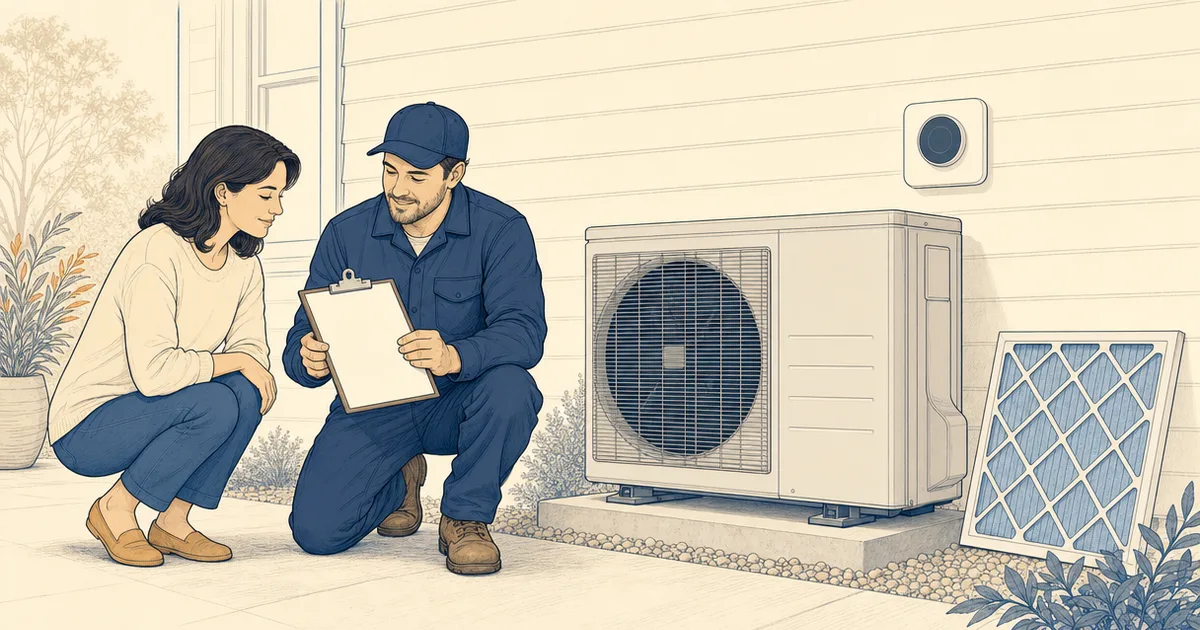
An HVAC install is not finished when the equipment starts. The last visit is your chance to compare the finished work with the written scope, see the controls operate, collect the measurements that only the installer can make, and record permits, model numbers, warranties, and open work before final payment. We separate what a homeowner can observe from what belongs in a professional startup or commissioning record, then give you a handoff packet and red-flag workflow you can use at the door.
HVAC installation checklist at a glance
| Handoff stage | Homeowner action | Record to leave with you |
|---|---|---|
| Finished scope | Walk the equipment, controls, ducts or line set, drain, filter access, and finish work against the signed scope. | Notes and photos of anything incomplete or changed. |
| Live walkthrough | Ask the installer to run the intended modes and explain normal sounds, settings, filters, and service access. | Control settings, filter size, and the installer’s contact information. |
| Startup record | Request the professional’s applicable airflow, static-pressure, refrigerant, electrical, temperature, condensate, and control readings. | A completed startup or commissioning record, with N/A items marked. |
| Permits | Ask for every permit number, inspection result, correction, and final or closed status that applies to the scope. | Permit and inspection records. |
| Handoff packet | Photograph labels and concealed routes, then collect manuals, warranty terms, registration status, and incentive paperwork. | One folder with equipment, project, and payment documents. |
| Punch list and payment | Put unresolved work, owners, dates, and payment treatment in writing before the final payment step. | Signed punch list, approved changes, and final itemized invoice. |
Treat the handoff as two separate checklists
A homeowner can see whether the finished work matches the contract and whether the controls respond. A homeowner cannot safely establish refrigerant charge, electrical performance, combustion safety, or duct-system targets. Those are professional measurements or service tasks.
The ENERGY STAR quality-installation guidance gives homeowners four useful questions to carry into the closeout: Was the system sized for the home, is airflow within the equipment’s requirements, was the refrigerant charge handled correctly, and were the ducts evaluated? Turn those questions into a request for records rather than trying to reproduce the work yourself.
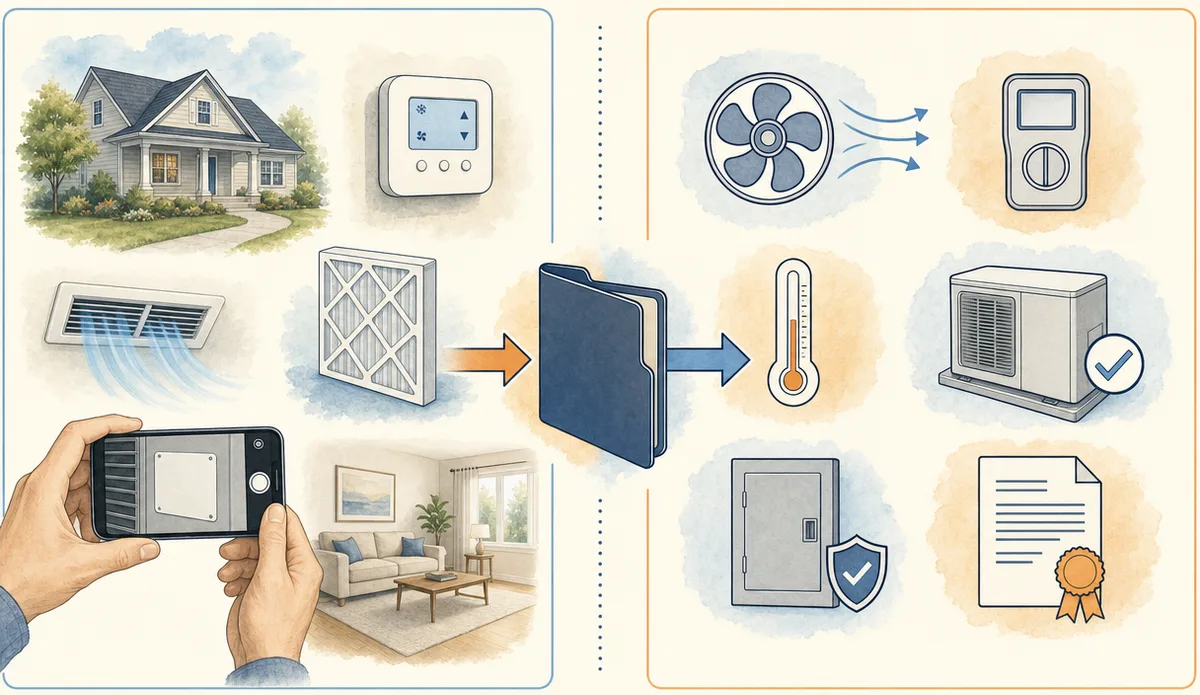
Simplified layout, not wiring instructions.
1. Walk the finished scope before the crew leaves
Bring the signed proposal, change orders, and equipment schedule to the walkthrough. Compare the finished work with what was promised. This is a closeout record, not a second installation.
Homeowner observations
- Equipment and control locations: The indoor unit, outdoor unit, thermostat or controller, zones, registers, returns, and service access should match the scope or approved changes.
- Air paths and filter: Supply registers and return grilles should be open and reachable. Locate the filter, record its size and orientation, and ask how the access panel opens.
- Drain and condensate: Look for the visible drain route, pan, pump, or termination included in the design. A water mark, active drip, or wet insulation belongs on the punch list.
- Outdoor equipment: Note the pad or supports, visible line-set insulation, weather protection, and clear area. Do not move covers, disconnects, or guards.
- Finish work: Photograph unfinished penetrations, missing insulation or sealant, damaged flooring or trim, abandoned materials, and debris before the crew leaves.
If the installation changed a wall, ceiling, roof, pad, electrical service, gas route, or structural support, compare that work with the approved scope. A verbal “we will come back” is not a closeout record.
2. Run the system with the installer present
The installer should show the normal homeowner-facing operation while the professional handles the equipment.
Ask the installer to demonstrate:
- each mode included in the project, such as cooling, heating, fan, dehumidification, or heat-pump backup heat;
- each zone, room sensor, schedule, or app connection included in the scope;
- basic thermostat or controller settings, lockouts, alerts, and recovery behavior;
- the location of shutoffs, service panels, filters, condensate components, and emergency contacts; and
- the normal startup and stopping sequence, including expected sounds or delays.
While it runs, look for air arriving at promised rooms, an open return path, water where it should not be, unusual odor or noise, repeated starts and stops, or a mode that never engages. These observations do not diagnose the cause. They give the installer a specific condition to resolve.
Do not remove an energized panel, touch wiring, adjust a gas valve, open a refrigerant circuit, drill test ports, or alter fan or control settings. Ask the installer to make any needed adjustment and record what changed.
3. Request the startup or commissioning record
Commissioning documents that a system was installed and operates according to the design criteria that apply to the project. The Department of Energy’s commissioning explanation describes it as a way to find equipment and control mistakes that can affect comfort and indoor air quality. A small residential change-out may use a short startup form rather than a commercial report, but “it turns on” is still a thin handoff.
Ask the installer for the completed startup or commissioning record, with the operating mode, date, equipment identity, measured value, design or manufacturer reference, and any correction noted. Depending on the equipment and scope, the record may include the following:
| Professional record | What the homeowner should receive |
|---|---|
| Equipment identity | Indoor and outdoor make, model, serial number, system type, refrigerant designation when listed, and zones served. |
| Design basis | Load-calculation or sizing reference, equipment match, design airflow, and any related design report. |
| Airflow | Measured fan airflow in CFM, operating mode and fan setting, plus the design or manufacturer value used for comparison. |
| External static pressure | Return-side, supply-side, and total readings for ducted systems, with units, test locations, mode, and comparison reference. |
| Air balancing | Room-by-room or zone results when balancing belongs to the design, certification, or contract. Ductless systems may be marked N/A. |
| Refrigerant procedure | Charge-verification method and result, or the manufacturer procedure for equipment that uses another startup method. |
| Electrical readings | Applicable voltage, current, watt draw, circuit or disconnect information, and control verification. |
| Temperature and moisture | Supply and return temperatures, outdoor conditions, humidity or dehumidification settings, and operating mode when applicable. |
| Drain and safety controls | Condensate routing, drain or pump operation, overflow protection, and installed alarms or interlocks. |
| Combustion equipment | Applicable gas pressure, combustion, venting, flue, and safety results completed by the qualified professional. |
The form does not need every line above. It should make clear what was measured, what was not applicable, and what remains open. A blank measurement is different from N/A.
What airflow and static pressure records tell you
Airflow tells you how much conditioned air the fan is moving in the recorded mode. External static pressure describes the resistance the fan sees across the air-moving system. Both depend on the equipment, duct design, filter, fan setting, test method, and manufacturer requirements. There is no single number that makes every home pass.
The ENERGY STAR contractor resources list blower airflow, blower watt draw, and refrigerant-charge checks as common commissioning tasks, then state that the details depend on the program, track, and equipment type. Ask for the values and the reference used by the installer. Do not set a target from a generic table.
Program-specific and dated example: The ENERGY STAR Certified Homes HVAC Commissioning Checklist is Version 3 / 3.1, Revision 08, revised September 15, 2015. For the specified certified-home equipment, it includes return and supply external static pressure, total external static pressure, fan airflow, and a design-airflow comparison. It also includes a room-by-room balancing section marked recommended rather than required in that program. The form applies to particular ducted equipment and expressly excludes some systems, including boilers and mini-splits. Treat it as an example of a useful record, not as a national inspection form, a universal pass/fail rule, or a guarantee of performance.
4. Put controls and normal operation in writing
Have the installer leave a short operating note that covers:
- the normal heating and cooling modes;
- setpoint limits, schedules, staging, and fan behavior;
- zone names and which rooms each zone serves;
- backup or emergency heat behavior for a heat pump;
- humidity, ventilation, or air-cleaning settings in the scope;
- app ownership, user access, and what happens if the internet connection fails;
- filter size, replacement access, and any indicator that signals service; and
- the first follow-up visit, seasonal startup, or maintenance recommendation for this equipment.
Record the installer’s name, service number, warranty contact, and callback process while the crew is still there.
5. Get permit and inspection status, not a verbal assurance
There is no single national HVAC final-inspection checklist for every residence. Local building departments adopt and enforce different rules, and the equipment, fuel, electrical work, duct changes, location, and property type can change the permit path. ACCA’s homeowner guidance also notes that licensing rules differ by state, city, and county.
Ask the installer for:
- the mechanical permit number and any separate electrical, gas, plumbing, structural, or combination permit number that applies;
- the permit holder and the person responsible for scheduling inspections;
- inspection dates and results, including failed or conditional results;
- correction notices and proof that corrections were accepted;
- the final mechanical approval or other sign-off issued by the authority; and
- the status of the permit itself, such as open, approved, or closed, if the local system uses those labels.
The system running does not establish that a permit is closed. For example, Portland’s residential inspection guide lists a 699 Final Mechanical inspection and a 999 Final Permit inspection, and says the permit remains under inspection until the final permit step is approved. San Diego’s mechanical permit page describes a different local process, with simple and plan mechanical permits and an inspection scheduled after permit issuance. These are local examples, not a national sequence.
If the installer says an inspection is still pending, write that status into the punch list with the responsible person and date. Keep the permit record with the home documents even when the contractor handles the filing.
For a ductless or mini-split project, Watt Wallet’s mini-split installation permit guide gives more equipment-specific context. The local rule still controls.
6. Build one homeowner handoff packet
A clean packet helps with filter changes, warranty claims, future service, and a home sale. Keep digital copies and photographs in one folder with the final invoice and permit records.
Equipment and installation records
- Photos of the indoor and outdoor nameplates showing make, model, and serial numbers.
- A photo of the thermostat or controller, zone labels, filter location, and service-access locations.
- Photos of concealed ducts, refrigerant lines, drain routes, wiring routes, supports, and wall or ceiling penetrations taken before finishes close, when those areas are accessible.
- Owner’s manuals, permitted installation or service information, and a written filter size.
- The startup or commissioning record, design or load report when supplied, balancing report when applicable, and any airflow or static-pressure documentation.
- The final scope of work, approved change orders, itemized invoice, payment schedule, and receipts.
Warranty and incentive records
Keep the manufacturer warranty, labor or workmanship warranty, coverage dates, exclusions, claims contact, and registration instructions. The FTC’s warranty guidance says warranty details should be in writing, explains that registration can sometimes be required for warranty service, and recommends saving the warranty and receipt. Ask for the registration confirmation, or record who will submit it and by what date.
If the project uses a heat-pump rebate, keep exact model numbers, the invoice, commissioning record, permit or inspection evidence, and every required form. Watt Wallet’s heat pump rebates by state guide helps separate incentive paperwork from the contractor’s price. A promised rebate should not disappear into an “after savings” total without a document showing the program, equipment, amount, and payment timing.
7. Turn unfinished work into a written punch list
Use one line for each open item. Include:
| Punch-list field | Example of useful detail |
|---|---|
| Item and location | “Seal the return transition above the air handler.” |
| Evidence | Photo number, room, or permit correction reference. |
| Owner | Installer, electrician, plumber, general contractor, or authority. |
| Next action | Repair, document, inspection, registration, or explanation. |
| Due date | A specific date or agreed service window. |
| Payment treatment | What the contract says about final payment, completion, inspection, or an approved change. |
Compare the final invoice with the signed scope and approved changes. Separate equipment, labor, electrical work, permits, credits, rebates, and unresolved allowances. Attach support for any omitted or unapproved line.
Payment timing belongs to the written contract and applicable local law. There is no nationwide retainage percentage or universal rule that lets a homeowner withhold any amount. When an inspection, registration, repair, or promised document is still open, record it before the final payment step and request a written completion plan. Do not sign a statement that says the work is complete if the listed items are still open.
For a quote that includes a panel, feeder, breaker, or service change, keep the HVAC closeout separate from that electrical scope. Watt Wallet’s electrical panel replacement cost guide helps organize those line items.
Use Watt Wallet’s heat pump installation cost guide to keep equipment, labor, electrical, permits, and closeout lines separate when you compare the final invoice.
8. Know which red flags need a pause
Most closeout issues are documentation or workmanship problems. Some signs require a safety response instead of troubleshooting.
| Red flag | Safe response |
|---|---|
| Gas odor, a carbon-monoxide alarm, smoke, visible arcing, or exposed energized wiring | Move people away. For a CO alarm, go outside and call emergency services; do not search for the source or re-enter until responders allow it. The CPSC’s carbon-monoxide guidance gives that response. For a gas odor or fire, use the local emergency or gas-utility procedure from outside. |
| Refrigerant-line damage, a suspected refrigerant release, or an unfamiliar equipment hazard | Keep clear and contact the installer or qualified service professional. Do not attach gauges, open the circuit, add refrigerant, or disconnect a line. EPA Section 608 requirements apply to technicians whose work can release refrigerant. |
| Water at the air handler, drain, pump, ceiling, or floor | Stop the affected system if doing so is safe, protect the area from damage, photograph the condition, and call the installer. Do not open an energized panel or disassemble the drain. |
| The system never reaches an included mode, short-cycles, leaves a promised zone unconditioned, or makes a new repeated noise or odor | Record the mode, room, time, controller display, and symptom. Ask the installer to assess it and add the response to the punch list. |
| Missing filter, blocked register or return, inaccessible service access, exposed route, unfinished seal, or damaged finish | Photograph the location and list the repair or explanation needed before closeout. |
| No model and serial record, no startup document, no permit status, no warranty terms, or no registration plan | Mark the document as outstanding and name the person responsible for delivering it. |
| Final invoice does not match the scope, approved changes, or promised credits | Hold the discrepancy in the written payment discussion. Ask for a corrected invoice or written explanation before treating the amount as final. |
Homeowner observation is enough for this checklist. Repair, measurement, adjustment, and code decisions belong to the appropriate professional.
Homeowner observations versus professional work
Keep this boundary with the handoff packet:
| A homeowner can observe or request | A qualified professional must measure, adjust, or service |
|---|---|
| Equipment locations, visible finish, filter access, clear registers and returns, controller response, room comfort, visible water, unusual noise, and delivered documents. | Airflow, external static pressure, duct balancing, refrigerant charge, leak checks, live electrical readings, grounding, gas pressure, combustion, venting, and safety controls. |
| Photos of labels, accessible routes before finishes close, visible damage, and the finished work area. | Opening energized panels, attaching gauges, opening refrigerant circuits, changing gas or combustion settings, modifying wiring, drilling test ports, changing structural supports, or deciding whether work meets code. |
If a measurement does not apply to the equipment, the record can say N/A and explain why. That is more useful than forcing a ducted-system form onto a ductless system or a combustion form onto an all-electric heat pump.
FAQ
Do I need a formal HVAC commissioning report?
Not every residential project uses the same form. Ask for the applicable startup or commissioning record, with measured values, operating conditions, design or manufacturer references, and open corrections. A program form may apply only to a certified home, equipment type, or project track.
What should an airflow and static-pressure report show?
It should identify the equipment and operating mode, list the airflow and return-side, supply-side, and total external static-pressure readings when applicable, show the units and test locations, and name the design or manufacturer reference used for comparison. It should also mark non-applicable items.
Can I pay before the final HVAC inspection?
The contract and local rules control the payment sequence. A running system is not proof that the permit is final. Record any pending inspection, correction, or closeout document in the punch list and get the payment treatment in writing.
Save this checklist with your HVAC contract. If you are still planning the job, use Watt Wallet’s questions to ask an HVAC contractor so startup records, permit status, and handoff documents are part of the written scope before work starts.